Apps Overview
An App in OCM Pulse represents your website or web application that will send push notifications to subscribers. Each app is a self-contained environment with its own:
- Subscribers (users who opt-in to notifications)
- Notification channels (delivery methods)
- Triggers (automation rules)
- Segments (audience groups)
- Delivery history and analytics
Key Concepts
App Identifier
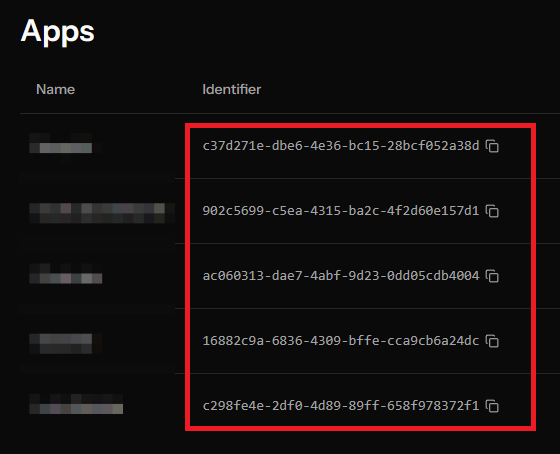
Each app has a unique identifier (UUID) used to:
- Identify your app in the SDK
- Generate your custom SDK file
- Track subscribers and deliveries
Site URL
The URL of your website where the SDK will be installed (e.g., https://example.com). This is used for:
- Generating the correct SDK URLs
- Validating subscription requests
- Displaying in notification settings
API Key
A secure key for authenticating API requests. Keep this private and never expose it in client-side code.
App Settings
Frequency Capping
Control how many notifications a subscriber receives within a time window:
| Setting | Description |
|---|---|
| Max Notifications | Maximum notifications per window (1-100) |
| Time Window | The window duration: 1 hour, 6 hours, 12 hours, 24 hours, or 1 week |
When enabled, subscribers who have already received the maximum notifications won't receive more until the window resets.
Notification Defaults
Set default values for all notifications sent from this app:
| Setting | Description |
|---|---|
| Default TTL | How long notifications remain valid (Time-To-Live) |
| Require Interaction | Whether notifications stay visible until user interacts |
| Default Silent | Whether notifications are delivered silently (no sound/vibration by default) |
Default Vibrate Pattern
Set a custom vibration pattern for notifications. The pattern is an array of up to 10 values, each between 0 and 10,000 milliseconds, representing alternating vibrate/pause durations.
Default Query Parameters
Automatically append query parameters (e.g., UTM tags) to all notification click URLs. You can configure up to 20 key-value pairs that will be added to every notification URL sent from this app.
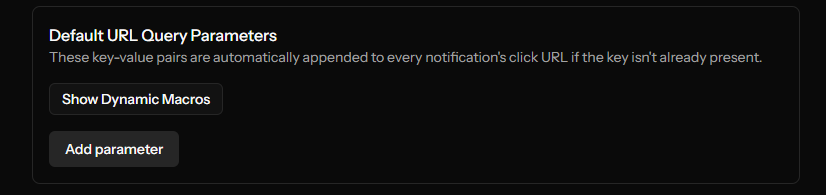
Dynamic macros Parameter values can include dynamic macros that are resolved at send time. The currently supported macro is:
| Macro | Description |
|---|---|
[category] | The delivery's category name (slugified). Empty string if the delivery has no category. |
Example: setting utm_campaign to news-[category] produces utm_campaign=news-breaking_news when the delivery uses the "Breaking News" category.
Keys may only contain letters, numbers, underscores, and hyphens. Values may be up to 2048 characters.
Auto-Delete Unsubscribed Users
Automatically clean up subscribers who have unsubscribed:
| Setting | Description |
|---|---|
| Enable Auto-Delete | Turn automatic cleanup on/off |
| Days to Keep | How long to retain unsubscribed records (1-365 days) |
Next Steps
- Creating an App - Step-by-step guide to create your first app
- Editing an App - How to modify app settings